



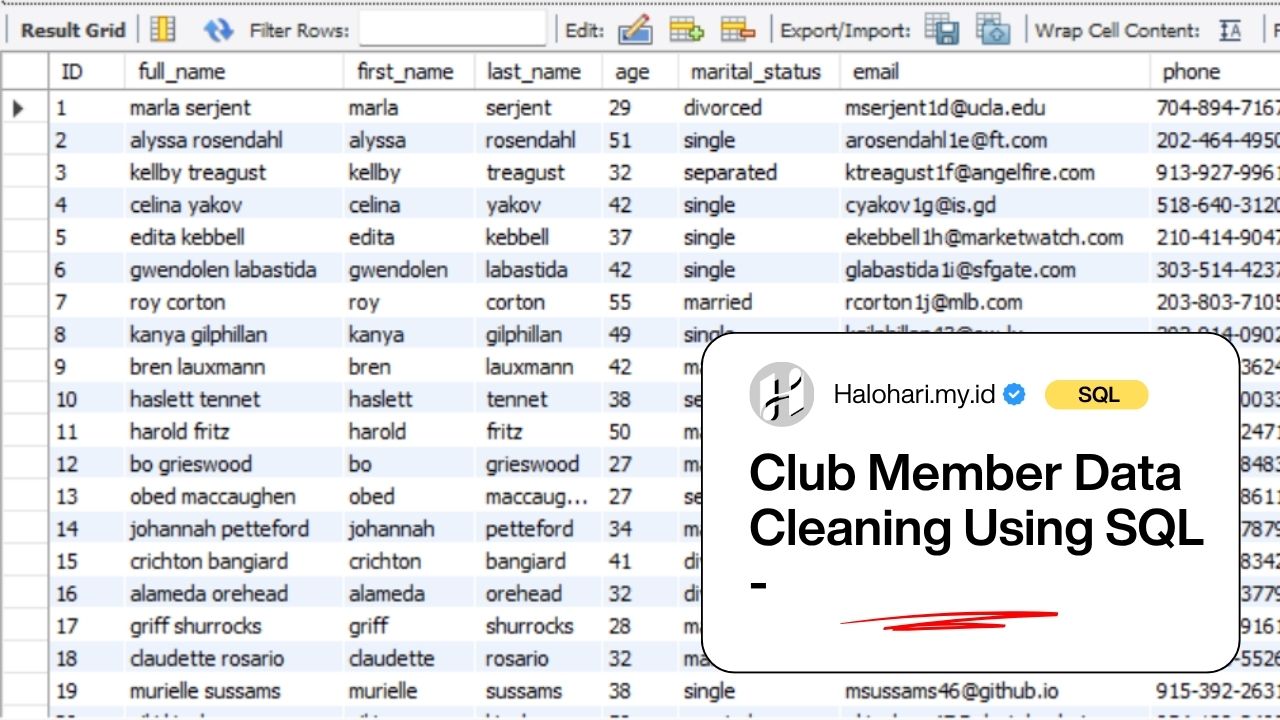

In this project, I worked with a synthetic dataset of club member information collected through an online form. My main objective was to demonstrate a structured data cleaning process using SQL. Before performing any meaningful analysis, I ensured that the raw data was standardized, validated, and transformed into a reliable format. Through this project, I addressed common data quality issues such as inconsistent formatting, duplicate records, and missing values using systematic SQL queries.
Dataset Overview
The dataset I used consists of a single CSV file, club_member_info.csv, which contains various details about club members. It includes personal, contact, and membership-related information. The original dataset contains the following columns:
- full_name (text): Member’s complete name stored in a single column
- age (integer): Member’s age, although some entries contain extra digits
- marital_status (text): Member’s marital status
- email (text): Unique email address for each member
- phone (text): Contact phone number
- full_address (text): Combined address including street, city, and state
- job_title (text): Member’s occupation
- membership_date (date): Date the member joined the club (all entries are within the 2000s)
As part of my data cleaning process, I created a unique identifier, standardized text formatting, split columns (such as names and addresses), handled null values, and removed duplicate records based on the email field.
Short Summary
After completing the data cleaning process, I generated a brief statistical summary to better understand the dataset:
- Age: I find that the average age is approximately 41.7, with a minimum of 18 and a maximum of 68 after correcting invalid entries.
- Marital Status: I find that the average number of records with the “Married” status is 877, while the lowest number is for “Separated,” with 167 records
- Membership Timeline: All membership dates fall within the 2000s, indicating that the dataset represents relatively recent members.
- Data Completeness: I standardize missing values by converting empty fields into NULL to ensure consistency.
- Uniqueness: I remove duplicate records by using the email column, ensuring that each member is uniquely represented.
With these cleaning steps completed, the dataset is now ready for further exploratory data analysis and SQL-based insights.
Solution Approach
Part 1: Create the database and table
To begin the process, I created a new database and a staging table to store the raw dataset. At this stage, all columns were intentionally defined using the VARCHAR data type. This approach allowed for a more flexible data import process and minimized the risk of errors during ingestion. By keeping the structure untyped initially, I was able to inspect and clean the data more efficiently before enforcing stricter data types in later stages.
Create database Projek_club_member;
use Projek_club_member;

CREATE TABLE club_member (
    full_name VARCHAR(255),
    age INT,
    marital_status VARCHAR(50),
    email VARCHAR(255),
    phone VARCHAR(50),
    full_address VARCHAR(255),
    job_title VARCHAR(100),
    membership_date DATE
);Part 2: add ID column
After successfully importing the dataset, I added a new column to serve as a unique identifier for each record. This id column was set as a primary key and configured to auto-increment. Having a unique identifier is essential for tracking records, especially during data cleaning operations such as deduplication and updates.
alter table club_member
add ID int auto_increment primary key first;Part 3: Checking error in the data
Before performing any transformations, I conducted an initial data audit to identify potential issues. This included checking for NULL values, empty strings, inconsistent formatting, and unexpected or invalid characters across all columns.
-- check for strange characters in the name
SELECT
    id, full_name
FROM
    club_member
WHERE
    full_name REGEXP '[^a-zA-Z ]';

-- check for empty data in the age column
SELECT
    *
FROM
    club_member
WHERE
    age = '';

-- check for empty data and writing error in the marital column
SELECT
    id, marital_status
FROM
    club_member
WHERE
    marital_status = '';

SELECT
    id, marital_status
FROM
    club_member
WHERE
    marital_status = 'divored';

-- check for duplicate email
SELECT
    email, COUNT(*) AS jumlah
FROM
    club_member
GROUP BY email
HAVING COUNT(*) > 1;

SELECT
    *
FROM
    club_member
WHERE
    email IN (SELECT
            email
        FROM
            club_member
        GROUP BY email
        HAVING COUNT(*) > 1);

-- check for empty data in the phone column
SELECT
    *
FROM
    club_member
WHERE
    phone = '';

-- check for strange characters in the job title column
SELECT
    id, job_title
FROM
    club_member
WHERE
    job_title LIKE '% I'
        OR job_title LIKE '% II'
        OR job_title LIKE '% III'
        OR job_title LIKE '% IV'
;

-- check for empty column in the membership date column
SELECT
    id, membership_date
FROM
    club_member
Where
membership_date = "";These findings guided the cleaning steps in the next phase. From this inspection, I discovered several data quality problems, including:
- In the full_name column, there are many names containing strange characters (???) and extra spaces. To make it neater, all words have been converted to lowercase.
- In the age column, there are three entries with empty data: IDs 553, 731, and 1506. Additionally, some entries have an extra digit.
- In the marital_status column, there are many empty rows with IDs 69, 71, 163, 190, 556, 621, 1106, 1282,
1310, 1406, 1483, 1495, 1651, 1652, 1702, 1825, 1841, 1900, 1926, 1982. Additionally, there is a spelling error where “divorced” is written as “divored” in rows 201, 219, 237, 254 - There are many duplicate entries based on the email addresses.
- In the “phone” column, there are many empty entries with IDs 632, 643, 1002, 1316, 1464, 1519, 1678, 1822, 1928
- In the job title column, there are many empty entries that need to be filled in. Additionally, there are Roman numerals I–IV that need to be removed
- The job title column has been converted to a date format
Part 4: Data cleaning
This is the core part of the project, where I systematically addressed the issues identified earlier. I removed unwanted characters from the full_name column to ensure consistency and readability. Missing values in the age and marital_status fields were handled appropriately, and inconsistent labels in the marital status column were standardized into a uniform format.
-- 1. correction in the full name column
UPDATE club_member
SET
    full_name = TRIM(full_name)
WHERE
    id > 1;

UPDATE club_member
SET
    full_name = REPLACE(full_name, '???', '')
WHERE
    id > 1;

UPDATE club_member
SET
    full_name = LOWER(full_name)
WHERE
    id >= 1;

-- 2. correction in the age column
UPDATE club_member
SET
    age = NULL
WHERE
    id IN (553 , 731, 1506);

SELECT
    *
FROM
    club_member
WHERE
    age REGEXP '...';

UPDATE club_member
SET
    age = LEFT(age, LENGTH(age) - 1)
WHERE
    age REGEXP '...' AND id > 1;

alter table club_member
modify age int;

-- 3. correction in the marital status column
UPDATE club_member
SET
    marital_status = NULL
WHERE
    id IN (69 , 71,
        163,
        190,
        556,
        621,
        1106,
        1282,
        1310,
        1406,
        1483,
        1495,
        1651,
        1652,
        1702,
        1825,
        1841,
        1900,
        1926,
        1982);

UPDATE club_member
SET
    marital_status = 'divorced'
WHERE
    id IN (201 , 219, 237, 254);

-- 4. Delete duplicate data by email
DELETE FROM club_member
WHERE
    id IN (141 , 357,
    768,
    946,
    1224,
    1373,
    1771,
    1795,
    1931,
    1994);

-- 5. correction in the phone column
UPDATE club_member
SET
    phone = NULL
WHERE
    id IN (632 , 643,
        1002,
        1316,
        1464,
        1519,
        1678,
        1822,
        1928);

-- 6. correction in the job_title column
UPDATE club_member
SET
    job_title = NULL
WHERE
    job_title = '' AND id > 1;

-- 7. change the type of membership date to date from varchar
SELECT
    membership_date,
    STR_TO_DATE(membership_date, '%m/%d/%Y') AS parsed_date
FROM
    club_member
WHERE
    STR_TO_DATE(membership_date, '%m/%d/%Y') IS NULL;

UPDATE club_member
SET
    membership_date = STR_TO_DATE(membership_date, '%m/%d/%Y')
WHERE
    id >= 1;

alter table club_member
modify membership_date date;Additionally, I cleaned the phone column by removing non-numeric characters and ensuring a consistent structure. Empty or irrelevant entries in the job_title column were also addressed. One important transformation involved converting the membership_date column from VARCHAR to a proper DATE format using the STR_TO_DATE function, enabling more accurate time-based analysis in the future.
Part 5: add other column derived from full name and full address
To improve data usability, I created several new columns derived from existing fields. From the full_name column, I extracted first_name and last_name. Similarly, I split the full_address column into street_address, city, and state.
-- 1. add first name and last name column from full name
alter table club_member
add first_name varchar(100)
after full_name;
alter table club_member
add last_name varchar(100)
after first_name;

UPDATE club_member
SET
    first_name = SUBSTRING(full_name,
        1,
        LOCATE(' ', full_name, 1) - 1),
    last_name = SUBSTRING(full_name,
        LOCATE(' ', full_name))
WHERE
    id >= 1;

-- 2. add street_address, city, and state column from full address
alter table club_member
add street_address varchar(100)
after full_address;
alter table club_member
add city varchar(100)
after street_address;
alter table club_member
add state varchar(100)
after city;

-- 2.a this is the syntax for checking the positions of the first and second commas
SELECT
    full_address,
    LOCATE(',', full_address) AS koma_1,
    LOCATE(',',
            full_address,
            LOCATE(',', full_address) + 1) AS koma_2
FROM
    club_member;

-- 2.b this is the syntax for fill the data
UPDATE club_member
SET
    street_address = SUBSTRING(full_address,
        1,
        LOCATE(',', full_address, 1) - 1),
    city = SUBSTRING(city,
        1,
        LOCATE(',', city, LOCATE(',', city) + 1) - 1),
    state = SUBSTRING(full_address,
        LOCATE(',',
                full_address,
                LOCATE(',', full_address) + 1))
WHERE
    id >= 1;

UPDATE club_member
SET
    state = REPLACE(state, ',', ''),
    city = REPLACE(city, ',', '')
WHERE
id >= 1;To achieve this, I used the LOCATE function to identify the position of commas within the text, which act as delimiters. Then, I applied the SUBSTRING function to extract specific parts of the string based on those positions. This transformation made the dataset more structured and suitable for analysis, filtering, and reporting.
Conclusion
This project focuses on transforming a raw club member dataset into a clean and structured format suitable for analysis. Throughout the process, common data quality issues—such as inconsistent text formatting, duplicate records, misplaced values, and incomplete fields—were identified and resolved using SQL.
As a result, the dataset is now standardized, with properly formatted text, separated columns for names and addresses, corrected age values, and consistent handling of missing data. Duplicate entries have been removed to ensure that each member is uniquely represented, and the overall structure of the dataset has been improved for better usability.
With these improvements, the dataset is now reliable and ready to support further analysis, making it easier to generate accurate insights and draw meaningful conclusions.


Mengapa Angka Kemiskinan Tidak Selalu Mewakili Realitas?
Airline Ticket Trend and Sales Analysis Using SQL


